Notifications
Brief notifications appear in the bottom-right corner to confirm actions and report problems, then dismiss automatically after a couple of seconds. Each one carries an icon and a colour that tell you the kind of event at a glance.
| Type | Icon | When it appears | Examples |
|---|---|---|---|
| success | An action completes | Cue saved · Copied · Config applied to processor | |
| add | An item is created | Cue created · MIDI mapping added · Preset saved | |
| delete | An item is removed | Cue deleted · Preset deleted · OSC button removed | |
| error | An action fails | Background import failed · Failed to create file | |
| warning | An action is blocked, or a non-blocking issue | Action blocked in Show mode · Cue is locked · Connection to server lost | |
| info | Neutral status, or something in progress | Exporting… · Transition stopped · Recording cancelled | |
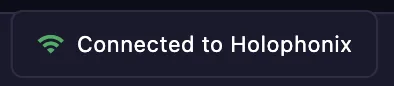
| connected | A link is (re)established | Connection restored · Reconnected to server | |
| disconnected | A link is lost | Disconnected |