MIDI Controllers
These settings let you connect a MIDI controller to control the remote.
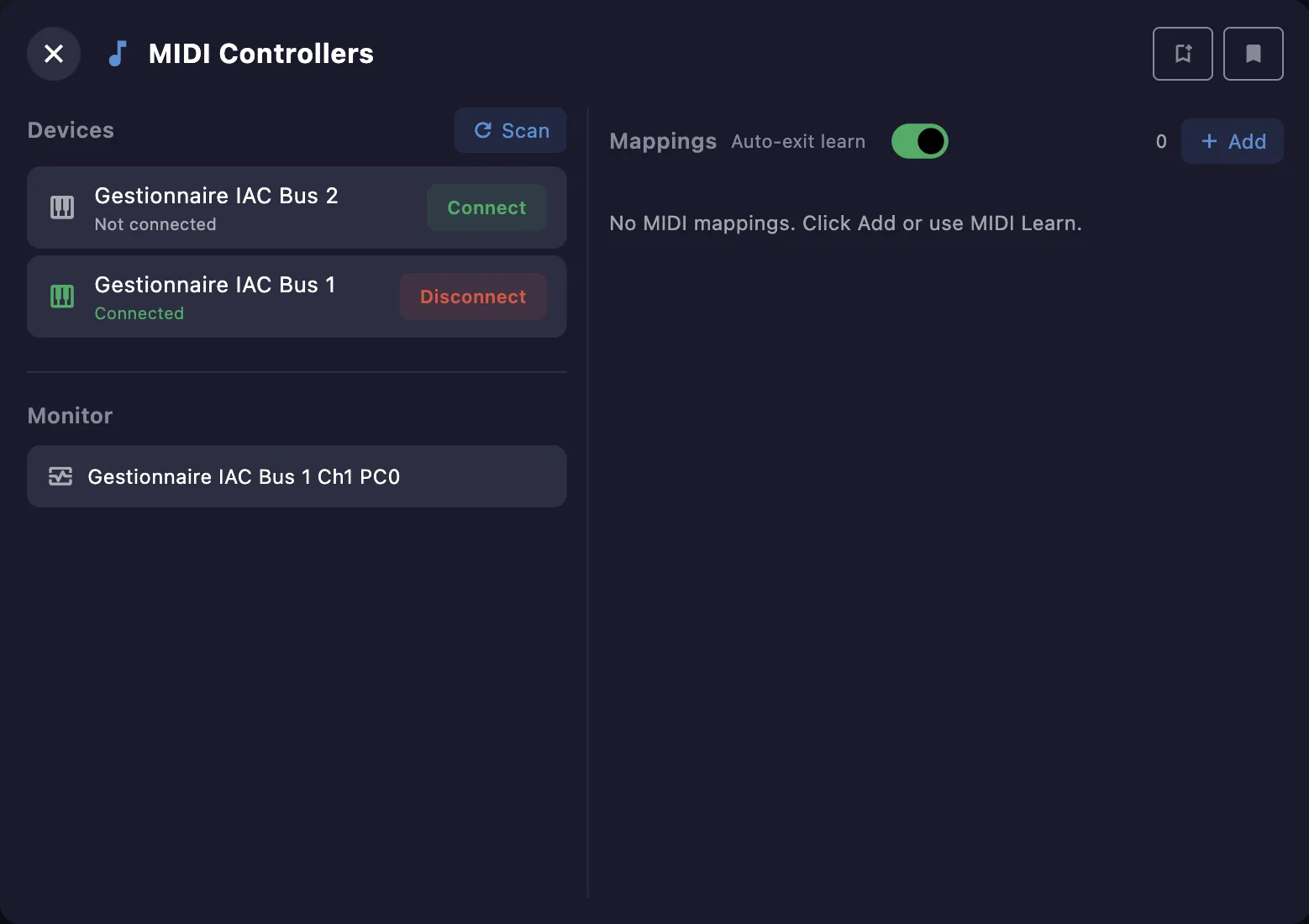
Devices
Connect or disconnect your MIDI devices, and Scan to detect new ones. The Monitor shows incoming MIDI messages — handy to check that a controller is sending what you expect.
When you reopen a project, the remote reconnects the devices you last used automatically — even if the system gave them a new internal ID. Mappings, Custom MIDI buttons and automations follow the reconnected device on their own.
If some of them still point to a device that cannot be matched (renamed in the OS, or a different unit), a reassign banner appears. Click Reassign to transfer everything to another device — including a known device that is currently offline, flagged (offline) in the picker. If no device is known at all, plug the device in, then Scan.
Mappings
A mapping links an incoming MIDI message to an action. Add one with +, or use MIDI Learn. The Auto-exit learn toggle leaves learn mode after each capture. Mapping sets can be saved and recalled as library presets.
Creating a mapping
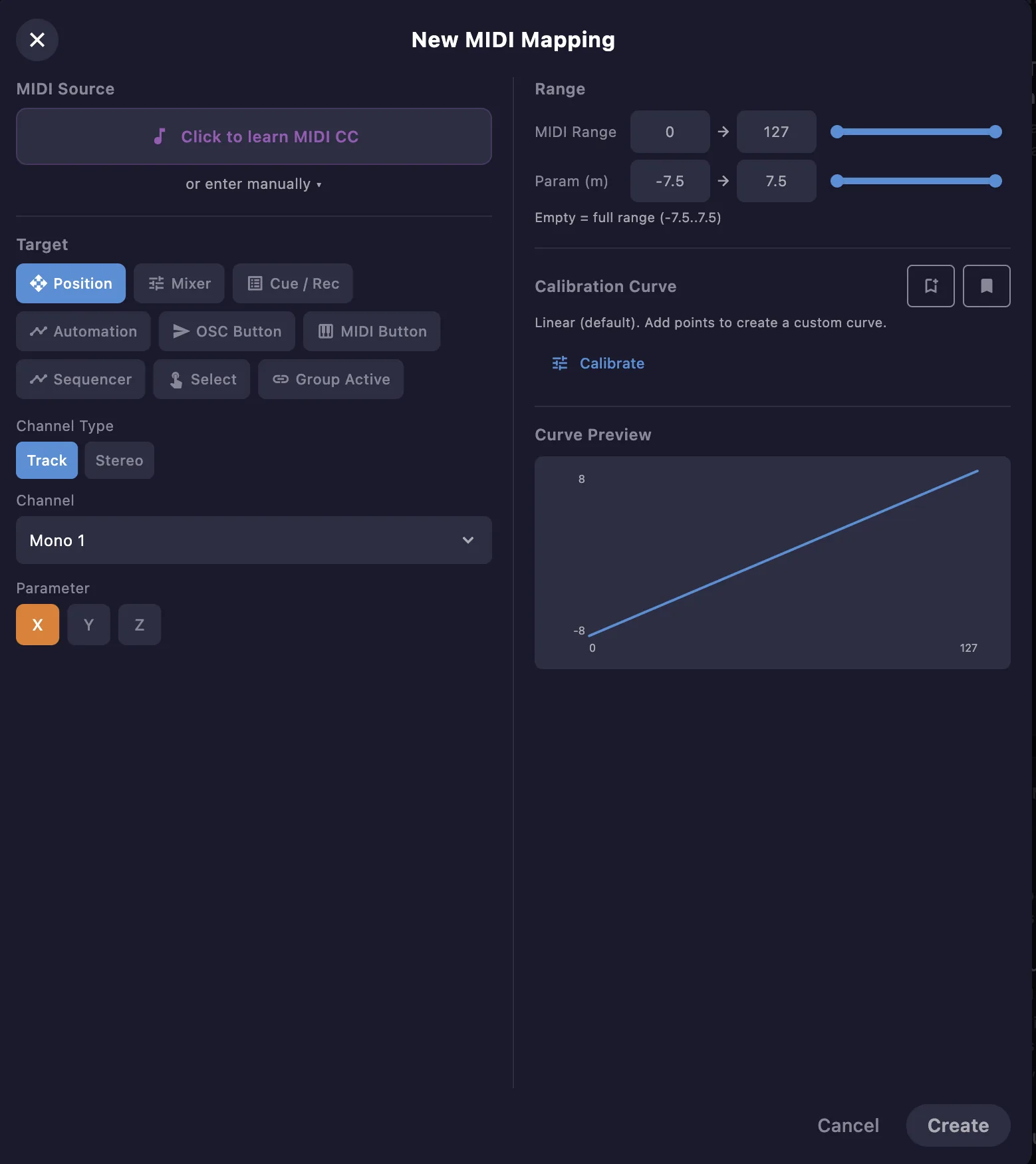
- MIDI Source — click to learn the message, or enter it manually. CC, NRPN (14-bit), Note, Pitch Bend and Program Change are supported.
- Target — choose what to control: Position, Mixer, Cue / Rec, Automation, OSC Button, MIDI Button, Sequencer, Select or Group, then its channel and parameter.
- Range — map the MIDI range (0–127) to the parameter range.
- Calibration curve — linear by default; add points for a custom response curve, or recall a saved one.
MIDI map mode
Most windows have a MIDI map mode to map their controls by touching them — the resulting mappings appear here. See MIDI map mode for how it works.