Custom OSC
Use Custom OSC to create buttons that send OSC messages — to control external gear such as video, lighting or another processor. Your buttons appear in the OSC / MIDI strips of the Multi XYZ and Mixer windows, or can be linked to a cue and sent when the cue is loaded.
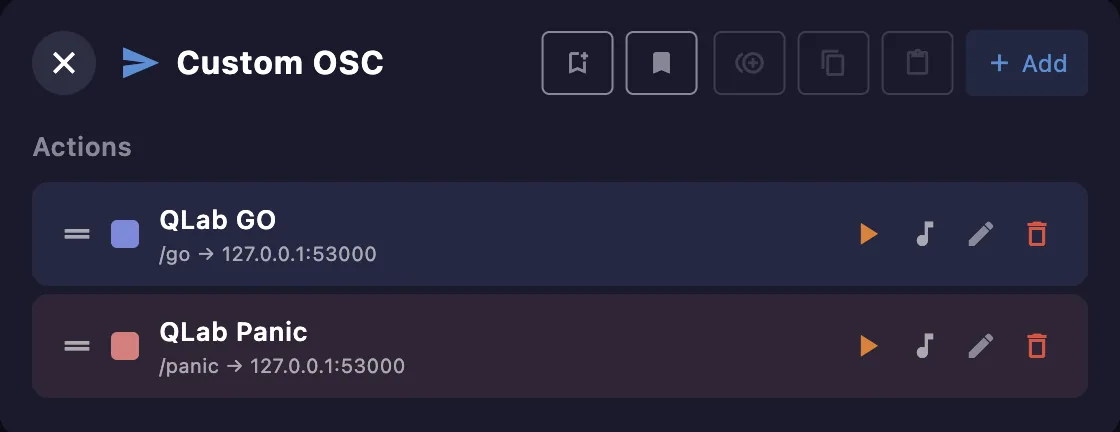
Actions
Each action has a name and an OSC message. Add one with +; from its row you can test it, edit, duplicate or delete it. Its on-screen button is optional — hide it to use the action only as a cue link. Sets of actions can be saved and recalled as library presets.
In the editor you set the name, the target IP and port, the OSC address, and any arguments (typed — int, float or string), plus a color and the mode. Untick Show as button in cue strip to keep the action as a cue link without an on-screen button.
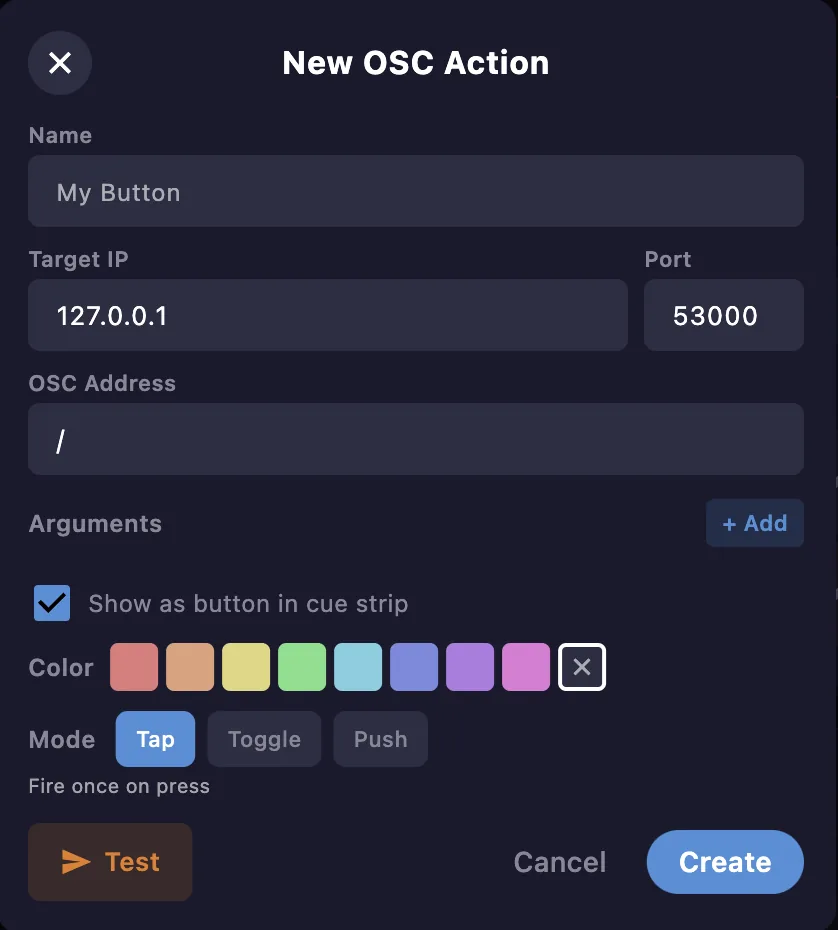
Button modes
- Tap — send the message once.
- Toggle — alternate between two states (ON / OFF).
- Push — send while the button is held.
Cue linking
A custom OSC action can be linked to a cue and sent when the cue is loaded, each with its own delay. See the Cues window.