Projects and files
Everything you build for a show is stored in a project. A project is a folder on disk,
made of a few subfolders and files. All projects live together under a single root folder,
HolophonixRemoteControl, created automatically on first launch.
You manage all of this from the Files section of the Home screen.
Where it lives
The HolophonixRemoteControl folder sits in your Documents folder:
| OS | Location |
|---|---|
| macOS | ~/Documents/HolophonixRemoteControl |
| Windows | %USERPROFILE%\Documents\HolophonixRemoteControl |
| Linux | ~/Documents/HolophonixRemoteControl |
| iOS | App's Documents — browse it in the Files app under Holophonix Remote Control |
You can open, copy or back up this folder freely — it's plain files.
Folder structure
HolophonixRemoteControl/
├── projects/                            ← one folder per project
│   ├── Default/
│   │   ├── Default.hrc                  ← project configuration
│   │   ├── cues.json                    ← cue list
│   │   ├── multi_xyz_automations.json   ← Multi XYZ automations
│   │   ├── mixer_automations.json       ← mixer automations
│   │   ├── control_automations.json     ← MIDI / OSC automations
│   │   ├── backgrounds/                 ← imported background images
│   │   └── *.backup                     ← automatic backup of each file
│   └── …
├── Library/                             ← global presets, shared by all projects
│   ├── eq/   dynamics/   reverb/   reverb_eq/
│   ├── midi_mappings/   custom_osc/   custom_midi/
│   └── calibration_curve/   stream_deck_profiles/
├── config/                              ← app configuration
└── crashes/                             ← crash reports
File extensions
| Extension | What it is |
|---|---|
.hrc |
A project configuration file — the project's manifest. It's JSON inside. |
.json |
Cues, automations and presets. |
.backup |
An automatic backup of the file with the same name, kept in case a save is interrupted. |
.png, .jpg… |
Background images, copied into the project's backgrounds/ folder so the project stays portable. |
What the files contain
Each project folder holds:
| File | Contents |
|---|---|
<project>.hrc |
The project configuration — see below. |
cues.json |
The cue list. Each cue holds its name, links to automations, and a snapshot of the show state. |
multi_xyz_automations.json |
Multi XYZ automations (position, Z, width) with their waypoints. |
mixer_automations.json |
Mixer automations with their waypoints. |
control_automations.json |
Control automations (MIDI / OSC) with their recording config. |
Inside the .hrc file
The .hrc is the heart of the project. Beyond pointing to the files above, it stores all the
project-specific settings:
- Channels — custom names, colors and icons.
- Mixer — strip options, channel patches (tracks, stereo, D2M, bus, source groups), and the mixer layout (bar positions, edge order, visible strips).
- Multi XYZ — background image reference, drawing geometry (length, center, opacity), point groups, and the Multi XYZ layout.
- Control zones and their channel assignments.
- MIDI mappings, Custom OSC and Custom MIDI actions.
- Stream Deck profiles and the active profile.
- Glide settings, Home settings and the stage Z range.
Inside a cue snapshot
When you store a cue, it captures the full show state — so recalling it restores everything:
- Channel positions.
- Mixer, EQ, dynamics, reverb, sends and bus reverb parameters.
- Mixer patches, layouts and channel customization.
- Glide / Home settings and point groups.
Global preferences
Not everything belongs to a project. Global preferences apply to the app as a whole, across
every project. They are stored by the operating system (not in the HolophonixRemoteControl
folder), and they are not carried with a project when you export it or switch.
Global preferences include:
- Theme, language and rotary-knob behaviour.
- Connection settings — last and recent IPs, network interface, server and backup addresses.
- Navigation visibility and order, and the mixer / Multi XYZ filter toggles.
- Recall Safe global settings.
- External OSC receiver port, QLab emulation, observability and logging toggles.
- Stream Deck brightness, display-sleep prevention, tooltips and update checks.
- Which project is currently open.
When things are saved
- Project files are auto-saved in the background shortly after any change. Saves are
atomic (written, then swapped in) and a
.backupcopy is kept, so an interrupted save can't corrupt your work. - Global preferences are written immediately when you change the setting.
- Switching project saves the current project in full before the new one loads.
- Live values read from the processor (such as bus reverb live parameters) are not stored — they live on the Holophonix.
Managing projects
From the Projects dialog you can create a new project (type a name, then Create), open another project to switch to it, Save As a copy, import, export or delete a project.
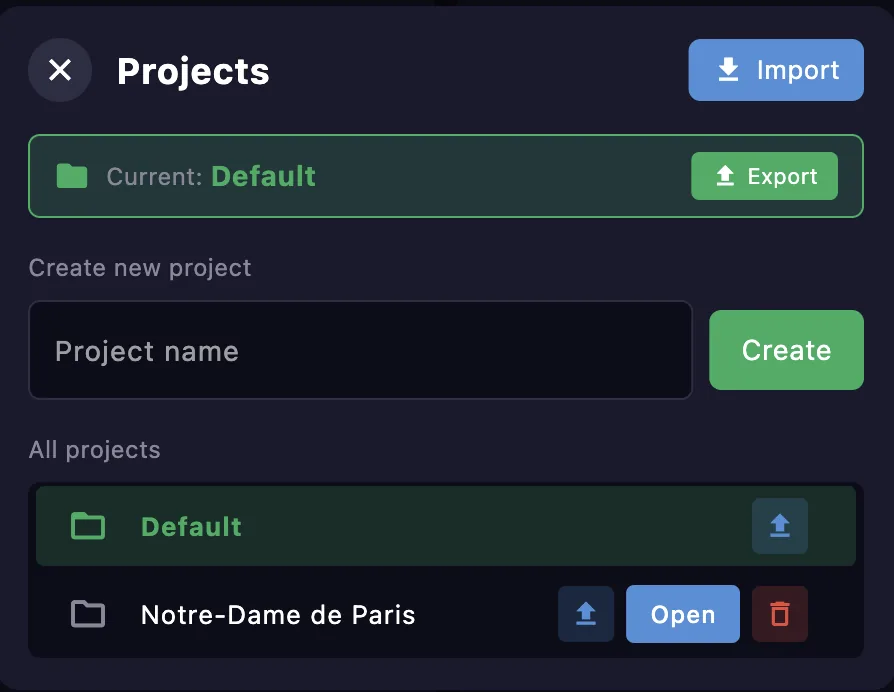
Save As — duplicate the current project under a new name, then switch straight to the copy. Press Save As next to the current project, type a name (pre-filled with “[name] copy”), and confirm with Duplicate. The copy carries everything — cues, automations, control zones and backgrounds — while the original is left untouched and stays in the list. This is the way to keep one show in several versions (for example, one per venue, where only the control zones or geometry change) and move between them without leaving the app. If a project with that name already exists, the copy is rejected so nothing is overwritten.
Import and export — export a project to a folder, or, on iOS, through the system share sheet (AirDrop, Files, Mail…). Imports are validated, with a 100 MB size limit.
Working with files individually
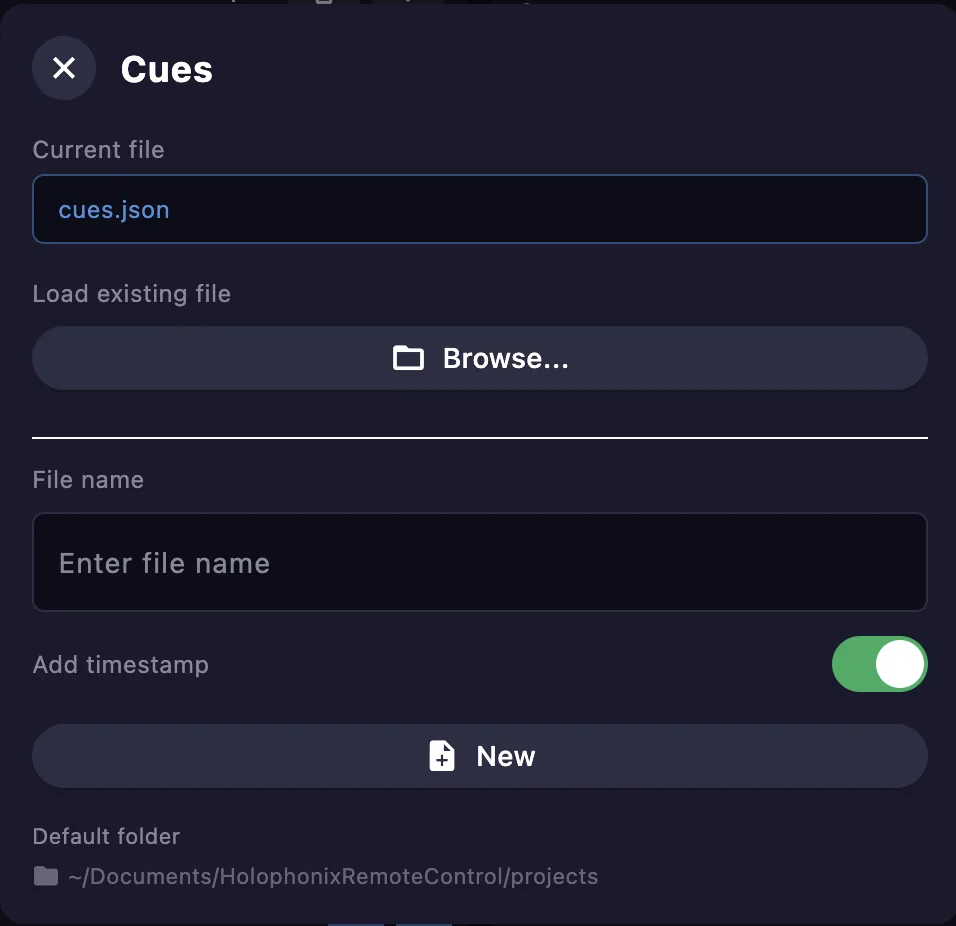
Besides switching whole projects, you can manage each data file on its own — the cue list and the automation files. Each has its own dialog that shows the current file and lets you:
- Load an existing file with Browse…, to point the project at a different file.
- Create a new file — type a file name and press New. Turn on Add timestamp to append the date and time to the name, so each new file is unique.