Custom MIDI
Use Custom MIDI to create buttons that send MIDI messages — to control external gear or recall scenes on a console. Your buttons appear in the OSC / MIDI strips of the Multi XYZ and Mixer windows, or can be linked to a cue and sent when the cue is loaded.
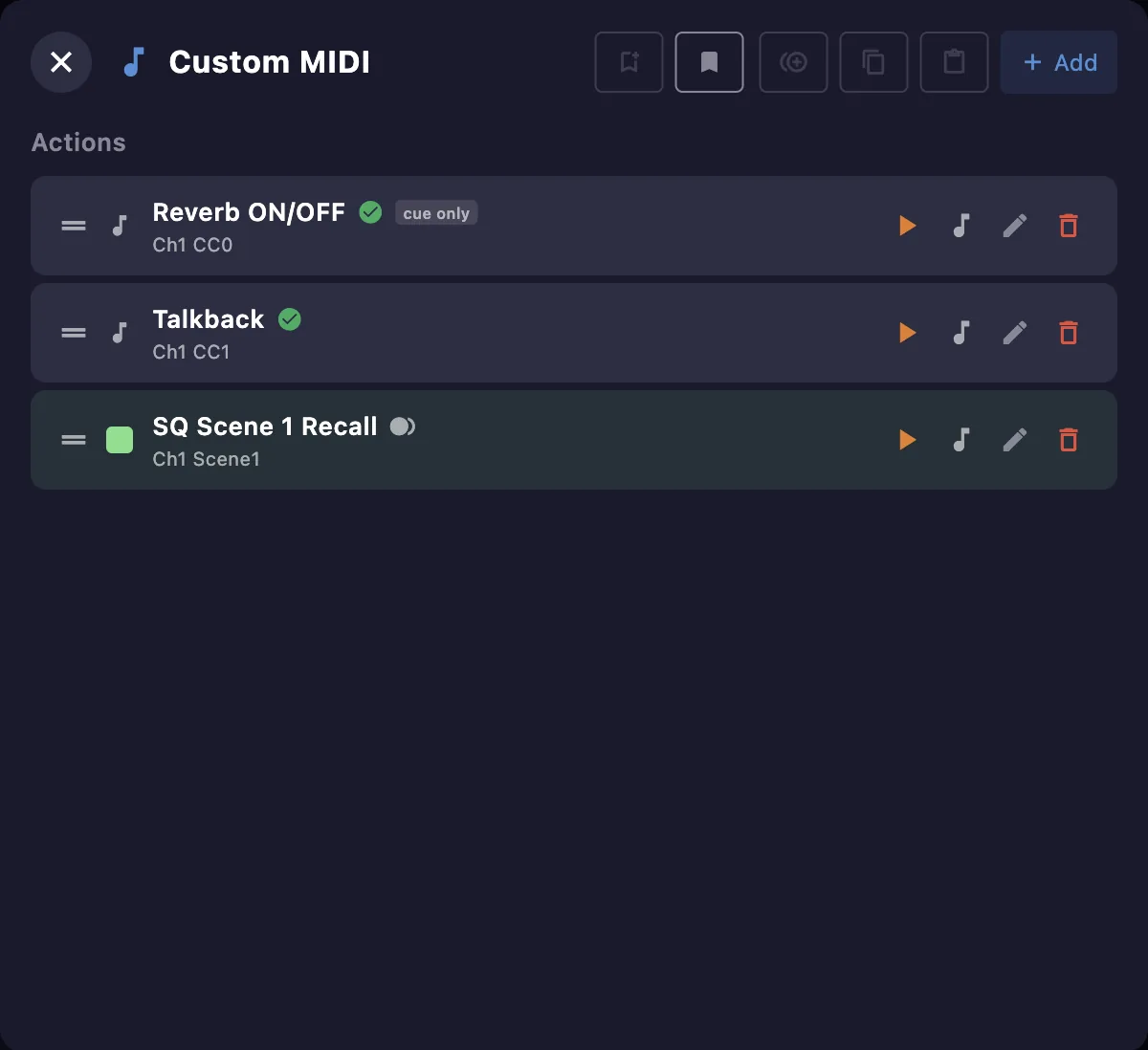
Actions
Each action has a name and a MIDI message. Add one with +; from its row you can test it, edit, duplicate or delete it. Its on-screen button is optional — hide it to use the action only as a cue link. Sets of actions can be saved and recalled as library presets.
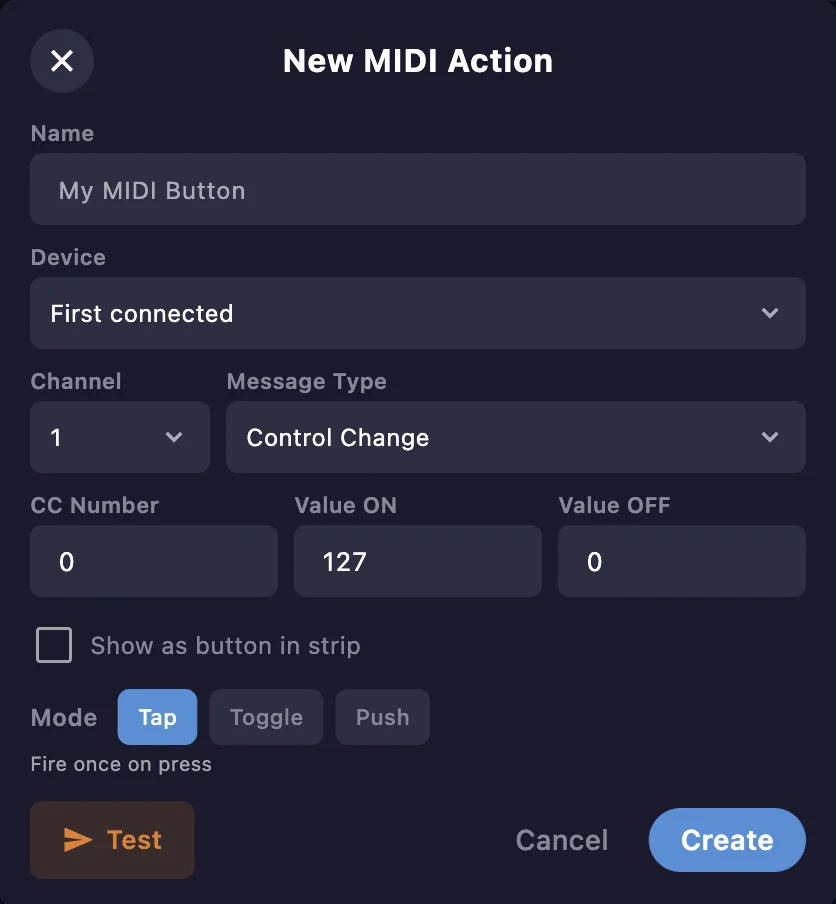
In the editor you set the name, the device and MIDI message (channel, type, CC number, values), a color, and the mode. Untick Show as button in strip to keep the action as a cue link without an on-screen button.
When actions point to a device that cannot be matched, the same reassign banner as in MIDI Controllers appears above the list — reassign them from here without leaving the window.
Button modes
Choose how the button behaves:
- Tap — send the message once.
- Toggle — alternate between two states (ON / OFF).
- Push — send while the button is held.
Cue linking
A custom MIDI action can be linked to a cue and sent when the cue is loaded, each with its own delay. See the Cues window.